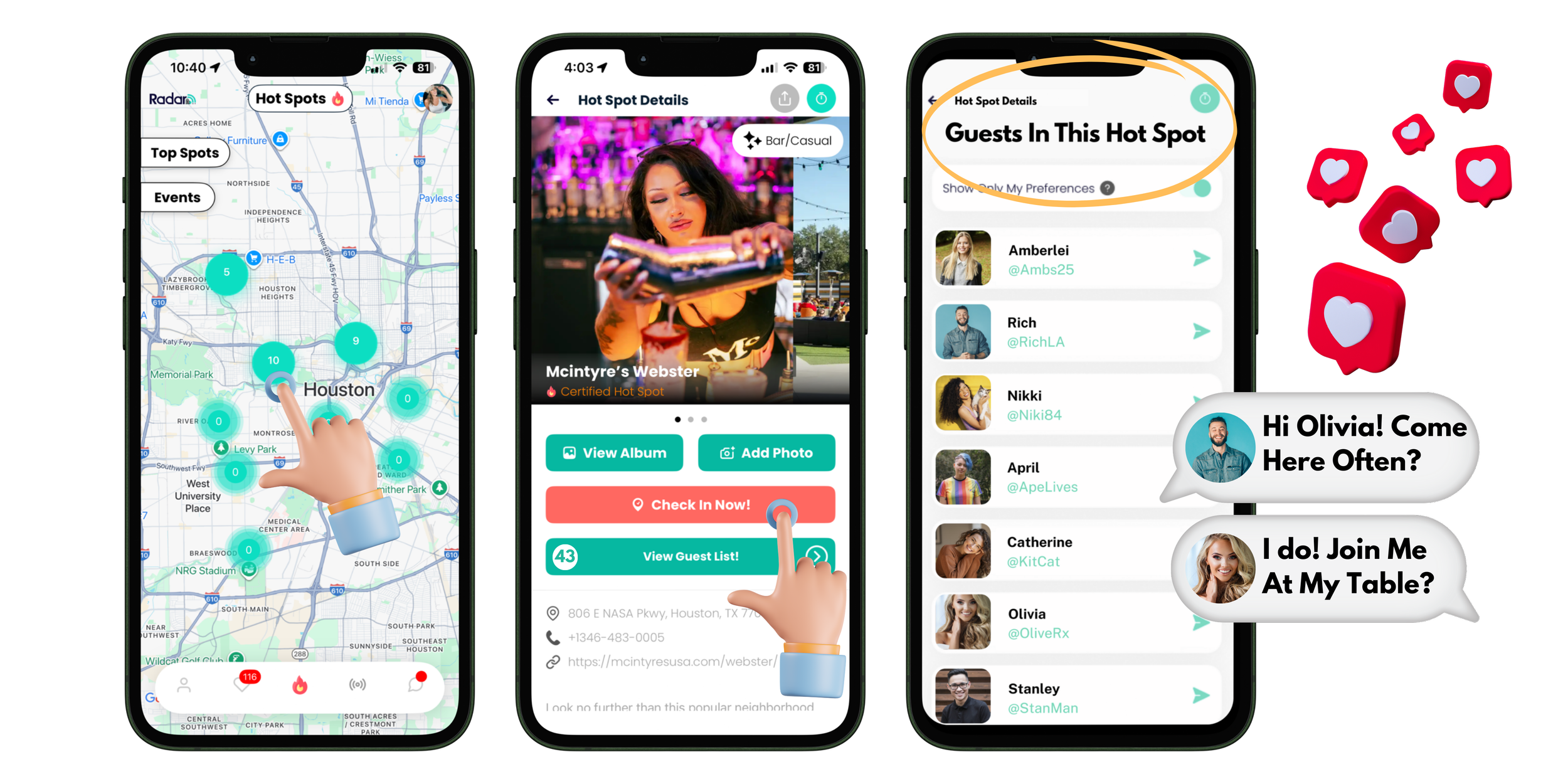
HOT SPOTS
BRINGING REAL PEOPLE TOGETHER AT REAL PLACES….
Read The Room - Smartly!
So Easy!
Arrive. Check In. Connect!



















FAQs
-
Hot Spots are physical locations where REAL people gather to connect in real life through networking, dating, and/or socializing. We activate the airspace, you activate the value proposition for attendees and customers!
-
EVENTS: Our team works closely with you to get you setup quickly for a seamless real-time experience for your attendees. They simply arrive, scan QR code to check in, and instantly are able to read the room!
ANNUAL HOT SPOTS: The more you promote RadarQR check ins at your venue, the higher your real-time customer count becomes on the RadarQR map, in turn drives even more customers to arrive to connect because they want to go where MORE people are gathered.
If someone looks at the map and sees 20 people are checked in at your venue, yet next door there are 50 people checked in, they may go next door to see the crowd before coming to your venue.Make the most of your location by encouraging check ins as soon as folks arrive.
This technology is BRAND NEW, so many are still learning that it is a possibility. How exciting to be on the frontline of evolution! -
Any location outside of residential can register to become a Hot Spot. Here are some of our favorites:
Bars
Breweries
Coffee shops
College campuses
Conferences
Concert Halls
Festivals / Events
Grocery Stores
Gyms
Recreational Spaces (Pickleball, Museums, etc.)
Restaurant
Stadium
MORE +
-
Lead Generation
Increase Community
Increase Attendee ROI
Increase Foot-Traffic + Boost sales
Appear Live on the Hot Spot map
Attract New & Repeat Customers/Attendees
Increase Event Attendance & Ticket Sales
Standout with Emerging Technology
Establish reputation as the local real-world connections venue
Enhance social experiences for patrons
Promote direct customer offers and deals
Increase event ticket sales / attendance
-
Valuable connections for networking/hiring potential
Identify where more connections are happening in real-time
Identify WHO is WHO in the same space
Mark self approachable
Discover singles, new friends, or network in real life
In-app greetings across the room
Discover deals/specials at hot spots
Discover live events & activities
Check-in timer for increased safety
Assigned QR code for safe sharing of info
Boost social confidence
Ease mental anxieties for genuine connections
Subscription Free - No Cost
-
IN-APP: Hot Spot will be shown within the RadarQR App (Click The Flame Icon) on the Hot Spot map!
PHYSICAL DISCOVERY: Your Hot Spot will have it’s own QR code! To find this, open your venue page from the Hot Spot map. Save, Print, and share this any way you choose to promote check ins & build the experience at your venue.
-
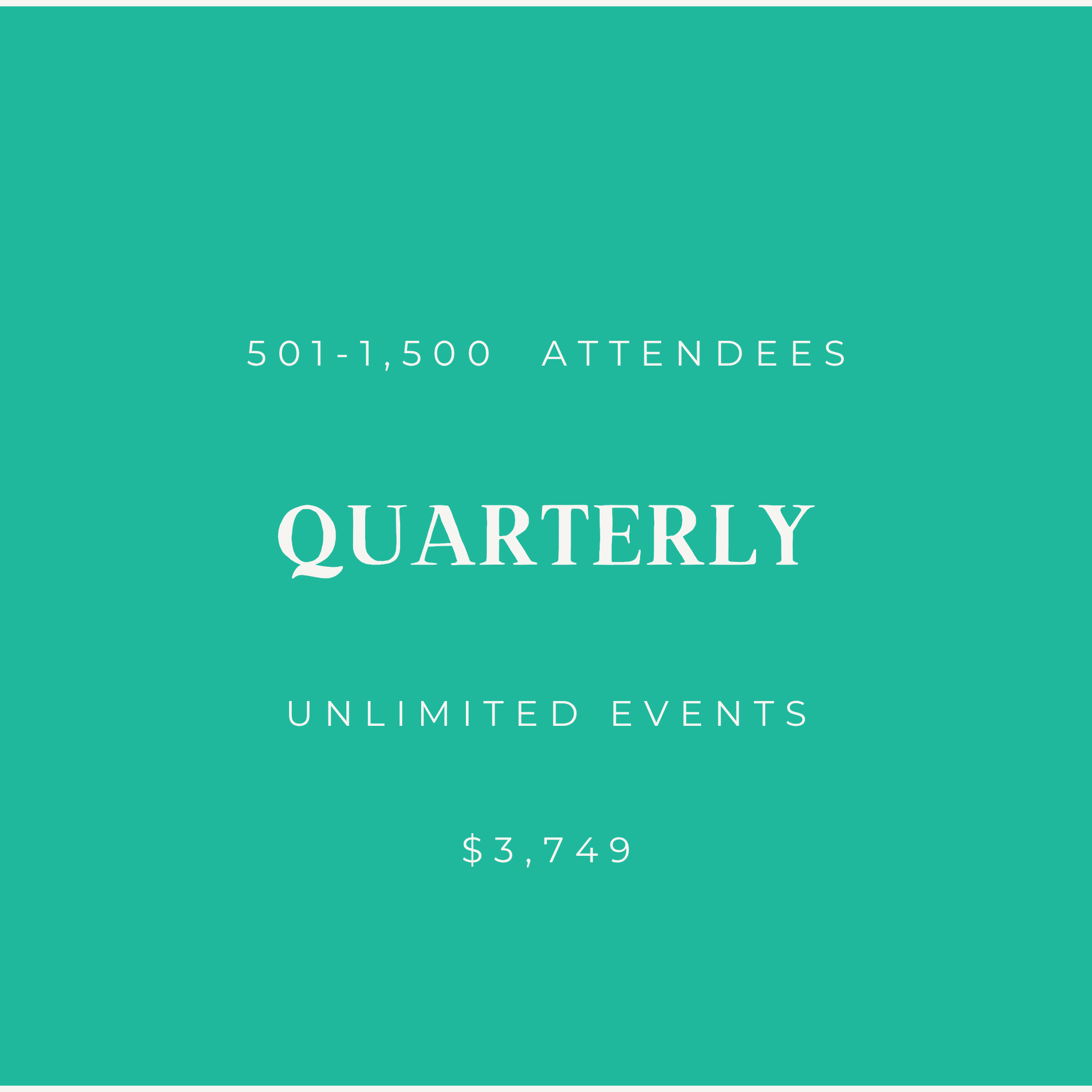
Pricing is offered at tiered stages based on early adopter phasing. The price on the website reflects current pricing.
Hot Spot Quick Tips
WHEN YOU…THEN YOU
Encourage guests to CHECK IN on the RadarQR app….Your live guests count increases creating a singles/social mixer without the need of a host or event! Additionally, you can reach customers in real-time through in-app special offers/deals while leading footfall while they are at your venue.
Post an event on the map….Increase event attendance & sales.
Update your special offers….Motivate customers to come sit and stay longer, increasing sales and experience.
Share your Hot Spot QR code….You’re inviting new customers to easily join the community at your direct Hot Spot.
Customers / Guests CHECK IN….(1) Live guests count in-app is boosted increasing your rank in the “Top Spots” list & (2) capture demographics for marketing efforts.
Customers / Guests TAG PHOTOS on your Hot Spot Wall….You’re leveraging network effects encouraging others to join the fun at your Hot Spot!


“Let’s Give ‘Em Something To Talk About”
-Bonnie Raitt
Easy as 1, 2, 3
•
Easy as 1, 2, 3 •
STEP 1
Download the “RadarQR” app and create a profile.
Register Your Hot Spot Here:
STEP 2
Once Your Purchase Has Been Approved and you’re officially a Hot Spot admin, Click The “Manage Hot Spots” Button In-App to get started.
Enter Your Hot Spot Information - Then send your Hot Spot location to us for approval in the app.
Once Approved by our team, you’ll be live on the map!

STEP 3
Encourage Attendees to Check In To Help Guest Find Each Other!
Attract Customers Like Never Before By Giving Them Instant ROI With Events!
For Example: “Singles Mixer From 5-7pm, Arrive, Check In, and Connect! Must Be Checked In By 4:45pm To Participate. First Match Wins A Free Round On Us!”